Zoom optimizes screen sharing of a full-screen video clip to ensure the attendees have the best quality experience.
Instructions
Click “Share Screen” button located in your meeting controls.

Select the screen you want to share and select “Optimize Screen Share for video clip”.
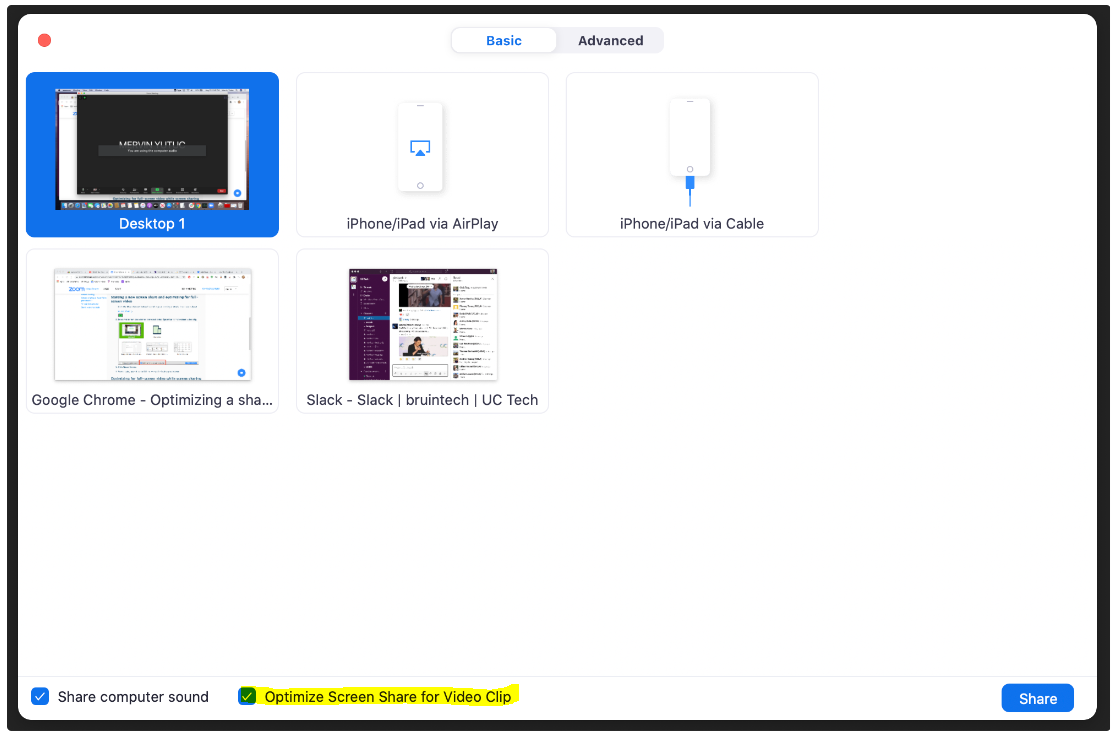
Start playing your video in full-screen while sharing your screen.
https://support.zoom.us/hc/en-us/articles/202954249-Optimizing-a-shared-video-clip-in-full-screen
For any additional questions please contact the HumTech Service Desk.
Related articles
Need help?